Get the short links:
- Login to the envato impact app : https://app.impact.com/
- On the right side, you can see "CREATE AND SHARE LINK"
- Enter your theme's link and click on the "Create Button"
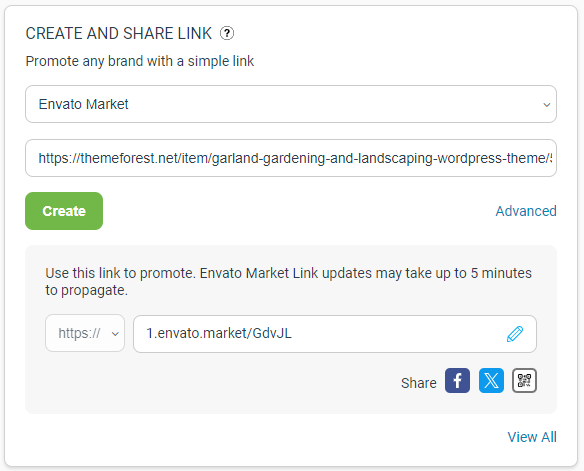
- Now you will get a short link, paste the link in the "Abileweb Process Sheet > Theme URL for Themeforest"
- https://docs.google.com/spreadsheets/d/1Yoo8sgV1Wn_tFYpLuH6hO2jrgpfRQQegd2ORob7NOM8/edit#gid=425041588
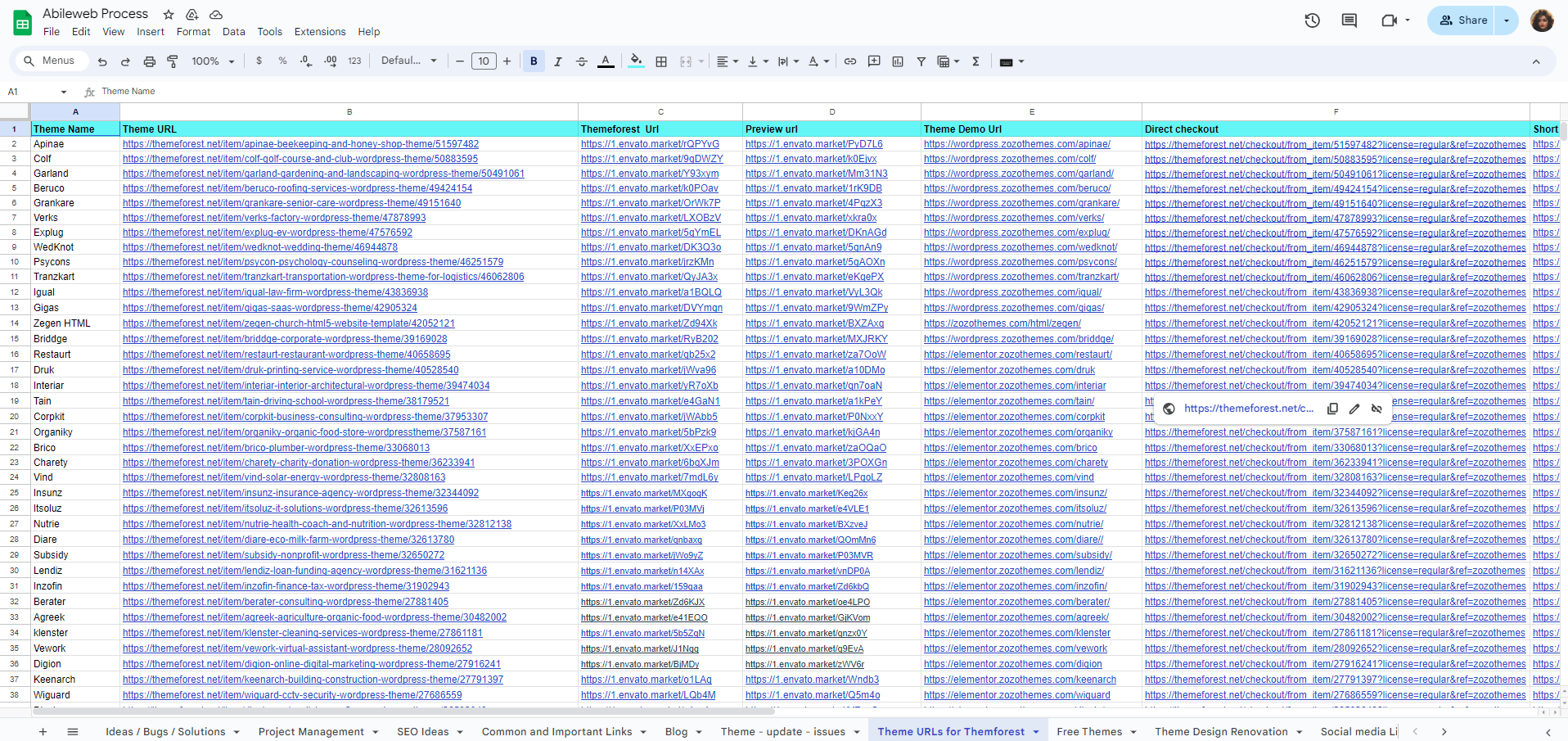
- The same way you have to do it for the "Preview page link"
Process in Zozothemes Site:
- Login to the zozothemes site
- Dashboard > downloads > duplicate the previous item
- Change the Theme name and URL
- Scroll down and find Yoast SEO
- Enter the theme concept name in the Keyphrase field
- Add theme title in the SEO Title field
- Add 2 lines of description with a keyphrase in the Meta description field
- In the right sidebar change a category, tags, thumbnail and preview images
- Change the theme description in the text area
- Find the previous theme name and replace it with the new theme name
- Change the theme URL and documentation URL all over the page.
- Change the price
Scroll down to the "Zozothemes Download Options"
General:
- Change the ThemeForest Buy Now URL (Check out URL)
- Change the Market ID (get 8 digit ID from the Link)
- Change the Themeforest review URL
- Enter the version (if the version is updated)
- Add the Compatibility Plugins (get from the particular theme in the portfolio)
- Add the Software version and plugin names
Product Demo:
- Here you have to change the Demo Title, Demo Image and the Demo URL
Extra:
- Add the Documentation link of the theme here
SEO Checklist:
Keyword Optimization:
-
- Target Focus Keyword.
- Use Focus Keyword in the SEO title.
- Use Focus Keyword in the SEO meta description.
- Use the Focus Keyword in the URL.
- Use the Focus Keyword in the content.
Readability:
-
- Write easy-to-read content.
- Use short paragraphs.
- Use H1 in the Title
- Use subheadings (H2, H3).
- Use transition words.
- Use active voice.
Meta tags:
-
- Write a compelling SEO title.
- Write a meta description that summarizes the content.
Content:
-
- Ensure the content is high quality and valuable.
- Use internal linking.
- Use outbound links to authoritative sources.
- Avoid keyword stuffing.
- Add images with alt tags.
Technical SEO:
-
- Optimize website speed.
- Make sure your website is mobile-friendly.
- Check for duplicate content.
- Create an XML sitemap.
- Optimize robots.txt.
Additional:
-
- Set up 301 redirects.
- Monitor website indexing.
- Utilize the readability analysis feature.